Real transformation, done locally
Turn these… Into these.


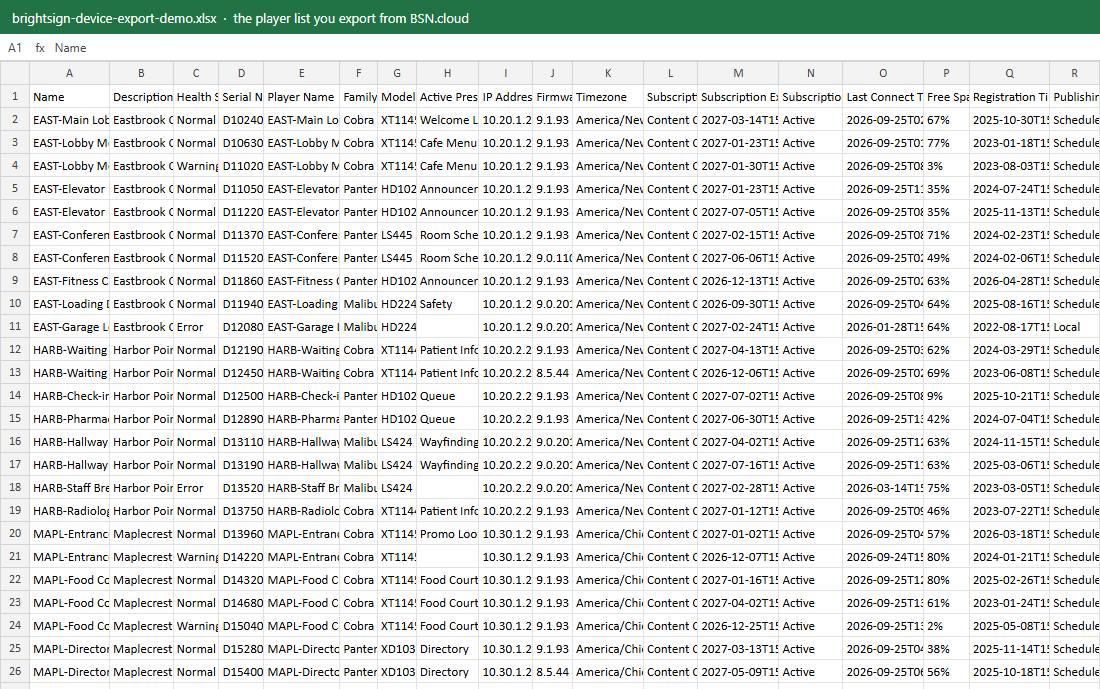
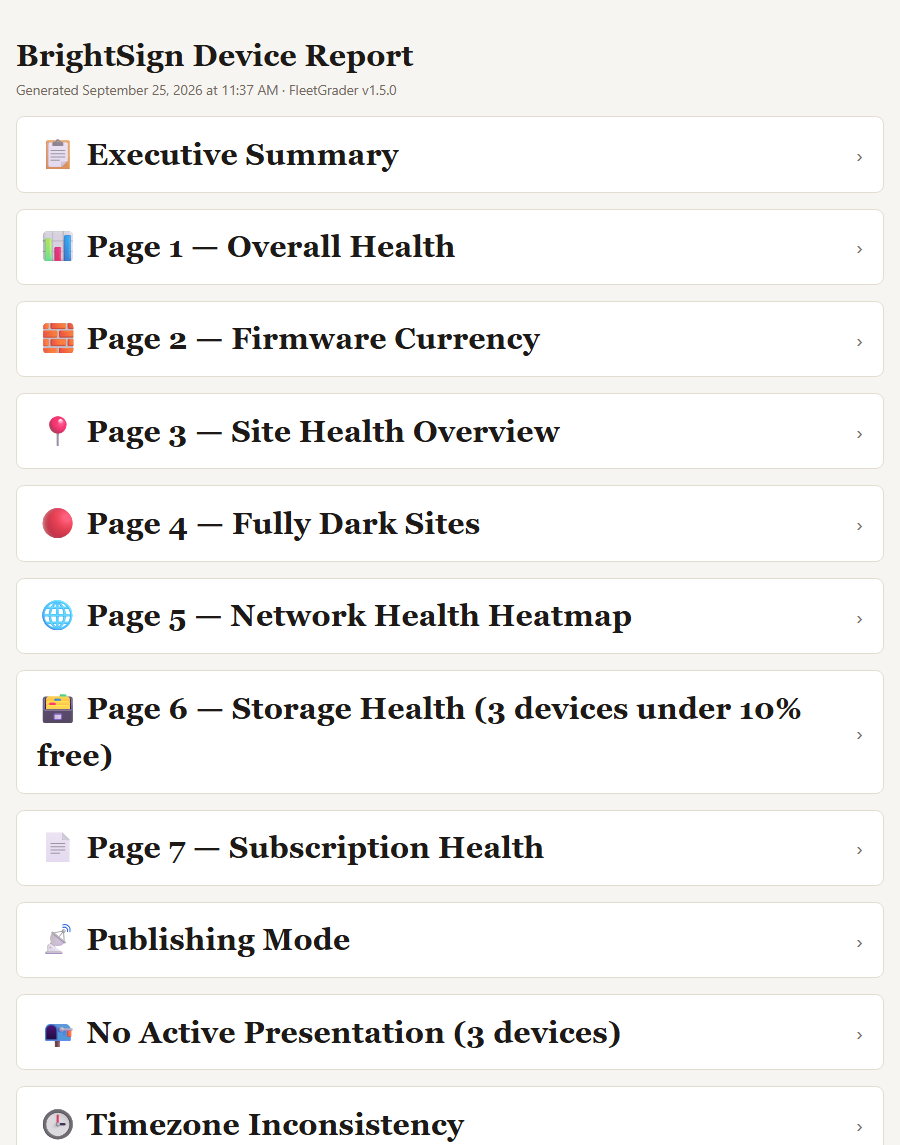

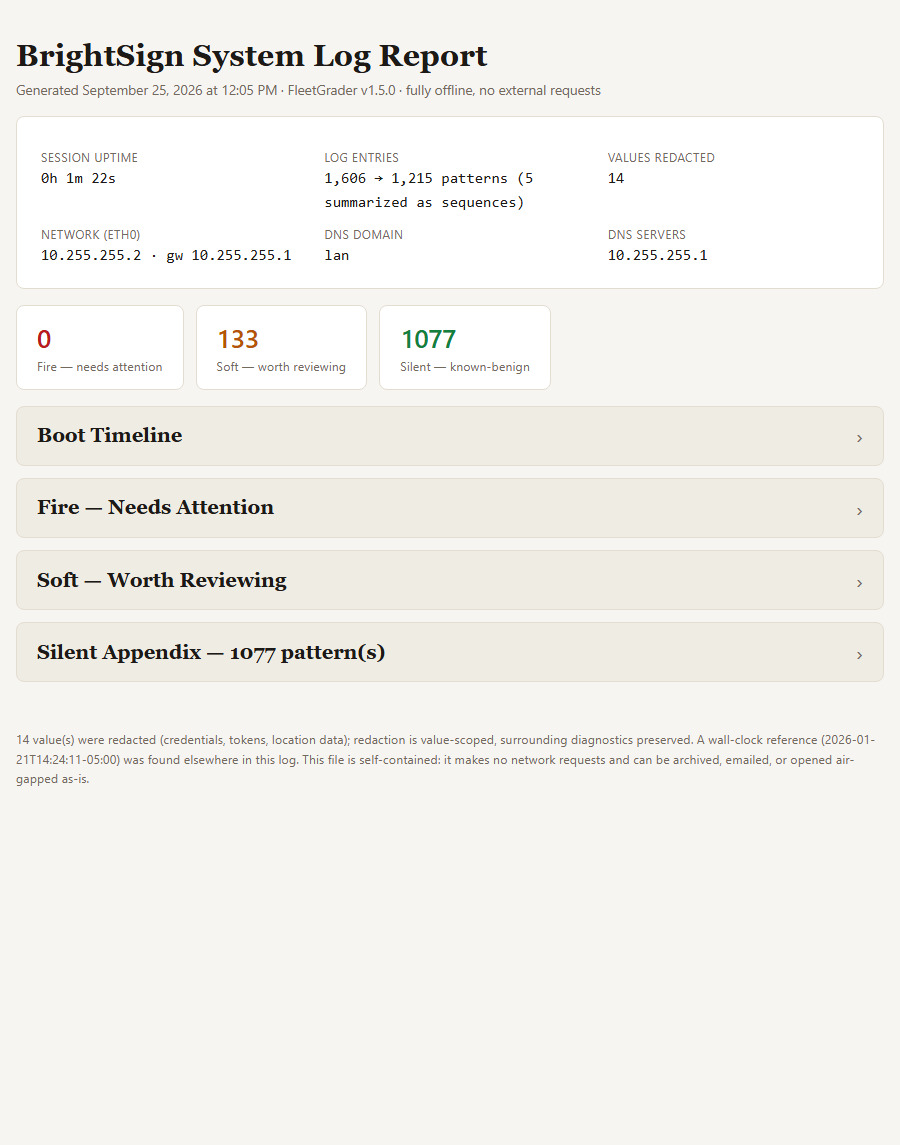
Each file on the left, run through FleetGrader. The cards on the right aren't mockups: each one opens the actual report FleetGrader built from the file beside it. The fleets are made up; the reports are real. FleetGrader works offline, with one disclosed licence check.
Local-first, MCP-native
Your data doesn't go to AI. You can still drive FleetGrader with AI and do it offline.
Every report builds from a file already sitting on your disk. Nothing about your fleet goes to an AI provider, or anywhere else. Want an assistant like ChatGPT or Claude to check a fleet's health or pull a status update instead? FleetGrader ships a real MCP server for that: four tools, built so the assistant gets an answer back — never your client's real name, hostname, passwords, IP addresses, or serial numbers. What "local-first" and "MCP-native" actually mean → · Set up the MCP server →
What it reads today
Sixteen report types, straight from the engine's own registry — not hand-typed.
- AppSpace Broadcasts History
- AppSpace Content Bandwidth
- AppSpace Content Playback
- AppSpace Device Directory
- AppSpace Device Identity Audit Log
- AppSpace Reservation History
- AppSpace Visitor Directory
- AppSpace Visitor History
- BrightSign Network Device Directory
- BrightSign System/Boot Log
- Korbyt Audit Trail
- Korbyt License Usage
- Korbyt Player Command Log
- Korbyt Player Inventory
- Korbyt Playlist Summary
- signageOS Device List
The part that isn't negotiable
Your fleet inventory never leaves your machine.
No API keys. No client credentials in a database anywhere. No upload step. If your client's data-handling policy says the fleet inventory can't touch a third-party cloud, it doesn't, because there isn't one.
The one thing FleetGrader ever sends is a licence check, and it shows you that request word for word before it goes: your key, a one-way hash of this computer, the platform and the version. You click Send it, and every check lands in an activity log you can read. A perpetual licence never checks at all.
How it works
The export you already have. A report you can act on.
01
Export
Pull the export or log your platform already gives you — an AppSpace Excel export, the player list from BSN.cloud or a BrightSign boot log, a Korbyt export, or a signageOS device list.
02
Grade
FleetGrader reads it locally and scores the fleet: firmware/OS currency, storage headroom, subscription status, per-site and per-device health.
03
Act
Get a prioritized list, not a spreadsheet dump — the devices that need attention first, and why. HTML, Word, Excel, JSON and CSV land in your reports folder automatically, no export step to run.
Built for
The person who owns "is the fleet okay?"
AV integrators and in-house signage teams running AppSpace, BrightSign, Korbyt, signageOS, or a mix of them — anyone who currently opens a vendor export, squints at a spreadsheet, and tries to guess which device is about to become a support ticket.
Get it
Mac: drag to Applications. Windows: one-click installer, no admin rights. Code-signed and notarized.
Free 14-day trial, no credit card.
Windows 10/11
v2.0.0 · ~20 MB installer, no admin rights. Signed by Mediagato LLC.
Mac (Apple Silicon)
v2.0.0 · ~26 MB, signed and notarized by Mediagato LLC. Apple Silicon (M1 and later) only — Intel Macs aren't supported yet.
Pricing
$99/yr per person. Any number of fleets.
One person, as many client fleets as you run, no per-device metering, unlimited reports. Free 14-day trial included — activate a license only once you know it earns its keep.
Full refund within 30 days, no questions asked. Refunds · Terms
Questions
Ask before you buy, or after — same address either way.
Anything the trial doesn't answer, or a report type you need that isn't here yet: say so. I read every one of these myself.
[email protected]